BlingKing
- 4.4
- Rating
- 50.00K
- Installs
- Free
- Price

 Analysis by App-foxy
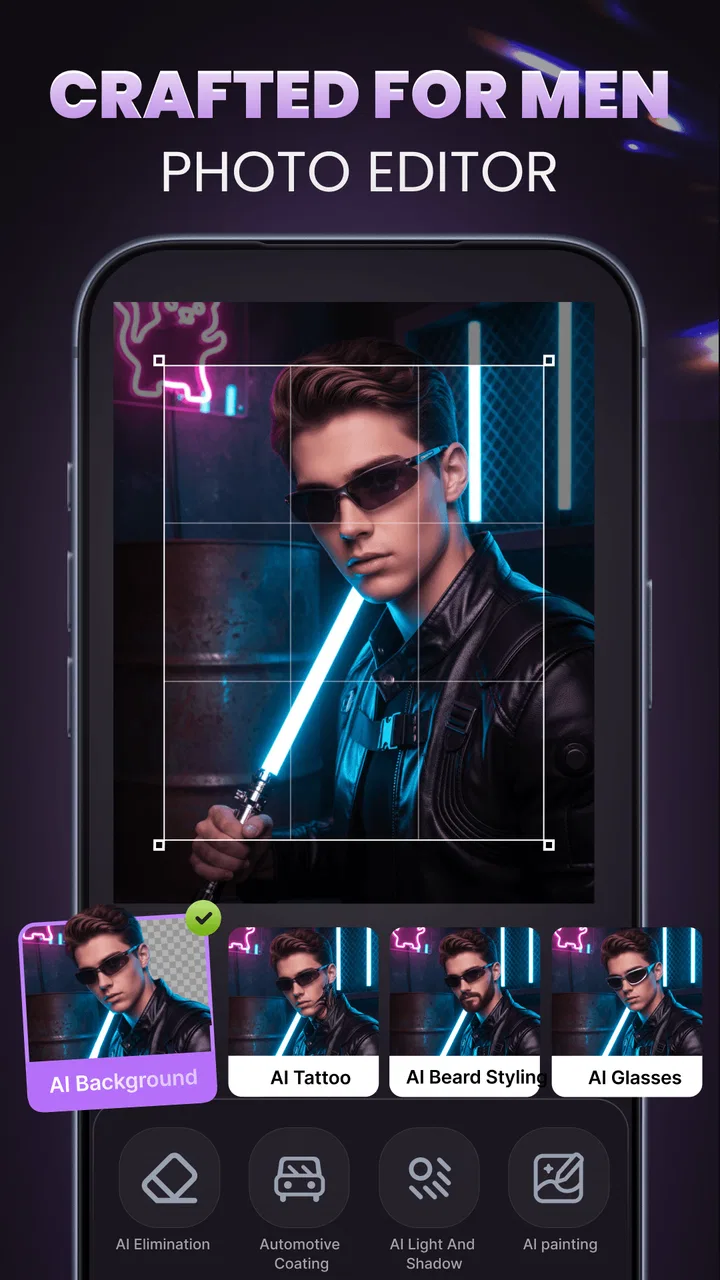
I approached BlingKing as a visual creativity tool rather than a conventional drawing app. Its focus is AI-assisted image making, and that changes the experience from building every mark by hand to exploring ideas through prompts, adjustments, and visual choices. For me, the most interesting question is not simply whether it can produce attractive images, but whether the process feels understandable and manageable for different people, devices, and everyday situations.
The app sits in the Art & Design category and is developed by Chongqing Cuyi Technology Co., Ltd. It is free to install, with optional purchases ranging from $2.99 to $69.99 per item. The age rating is Everyone, and the current version is 1.1.2. Those details make it look approachable for casual experimentation, although the purchase range is important to keep in mind before treating it as a completely cost-free creative workspace.
My overall impression is that BlingKing is best viewed as a compact idea laboratory. It can help when I want to turn a rough concept into a visual direction without learning a full illustration suite first. It is less convincing as a replacement for a professional editor, a precise drawing program, or a carefully structured design workflow.
You May Also Like

 Blood Strike: 2.5 Anniversary
Blood Strike’s Loadouts Turn Every Drop Into a Tactical Gamble
A close look at Blood Strike’s custom loadouts: how fast access to signature weapons reshapes its battle royale rhythm, rewards preparation, and narrows the gap between fights.

 Pandora - Music & Podcasts
Pandora’s Music Is Easy to Start, but Harder to Recover
Pandora’s strength is its low-effort path from a seed to a station. Its weak spot is how much confidence it asks you to place in connection, setup, and quiet recovery.

 8 Ball Pool
 Is Built on Rivalries, Rematches, and Routine
A close look at the rivalries, rematches, shared routines, and unanswered safety questions that turn a quick pool match into a persistent mobile community.

 Samsung Music
’s Quiet Strength Is Playing What You Already Own
Its reach comes less from spectacle than from dependable access to a personal library. That simplicity is both the app’s strongest retention engine and its ceiling.

 AccuWeather: Weather Radar
AccuWeather Review: A Quick, Clear Forecast for Everyday Decisions
For everyday plans, the best forecast is the one you can understand quickly. AccuWeather makes rain timing, radar, and local conditions easy to act on, with a few trade-offs.

 Hill Climb Racing
Why Hill Climb Racing Still Turns Crashes Into One More Run
A tiny car, a bumpy hill and one more upgrade: Hill Climb Racing keeps resurfacing because its simple chaos makes every near-miss feel personal.
More From Our News Desk



How the interface supports different ways of working
I find the interface question most useful when it’s tied to a real task: getting from a vague visual idea to a direction I can actually use. In the sections ahead, I’ll look at how a prompt-led approach can suit different working habits, and where that simplicity may call for a more controlled tool afterward.
Readability and navigation in a prompt-led workflow
The biggest advantage of an AI visual tool is that it can lower the first barrier to creating an image. Instead of beginning with a blank canvas full of brushes, layers, rulers, and technical controls, I can start with an idea. That matters for someone who understands what they want to see but does not yet know how to draw it or how to assemble it in a traditional design application.
This kind of workflow is also useful for people who find dense creative software tiring. Familiar image editors often place many controls on screen at once. They are powerful, but the learning curve can make a simple task feel like a project. BlingKing’s appeal is the possibility of narrowing attention to the visual goal: describe an idea, inspect the result, and decide what direction to try next.
That simplicity has a trade-off. A smaller set of visible choices can make an app feel friendly, but it can also leave me wanting more explanation when a result is not close to the intended idea. AI-generated visuals are not always predictable. If the app does not make the relationship between a prompt and the result clear enough, a beginner may know that something is wrong without knowing how to correct it.
I found that the most readable way to use this type of tool is to work in short, specific requests rather than one long description. I would begin with the subject, then add the setting, mood, and visual style in separate thoughts. This makes it easier to identify which part needs changing. It is a practical habit for anyone who gets overwhelmed by trial and error, because each new attempt has a clear purpose.
For users with limited attention or cognitive fatigue, that staged approach is more useful than trying to perfect a complicated prompt immediately. I would save a simple description of the main idea, then make one change at a time. The goal is not just better images; it is a less confusing creative process.
What visual creators can realistically expect
BlingKing is aimed at visual experimentation, not at replacing every step of a finished design job. I would use it to explore a character concept, imagine a poster direction, create a mood reference, or find inspiration for a social post. I would not depend on it alone for exact typography, brand consistency, technical diagrams, or artwork that must match a precise specification.
This distinction is important for people who compare it with ordinary alternatives. A manual drawing app gives me direct control over each stroke. A full design suite gives me layers, alignment, export decisions, and repeatable editing. A stock-image service gives me a predictable library of existing material. BlingKing offers something different: speed and ideation, with less certainty over the exact output.
That makes it especially attractive to beginners, writers, students, hobby artists, and small creators who need a visual starting point. It is less suitable for an illustrator who already has a carefully developed technique and wants every line to remain under personal control.
Motor considerations and the value of fewer precise gestures
AI-assisted creation can be helpful for people who find repeated drawing gestures difficult. Someone with hand fatigue, limited fine-motor control, or discomfort from long periods of tapping and dragging may prefer describing an image rather than constructing it pixel by pixel. In that situation, the app’s central concept is genuinely useful: the creative decision can happen through language and selection instead of constant manual precision.
There is still physical interaction involved. I may need to tap controls, scroll through results, type a prompt, and inspect several images. A person who has difficulty with small touch targets or repeated screen gestures may find the process tiring, especially during a long session. The app can reduce the need for drawing accuracy, but it does not remove the need to operate a touchscreen.
My practical advice is to treat each session as a series of short rounds. I would write a prompt before reaching for the phone, generate a small group of ideas, and stop once I have a usable direction. This avoids the frustrating loop of making dozens of tiny changes with no clear decision point. It also suits users who need breaks or who prefer not to maintain a fixed grip on a device for a long time.
For users who rely on a keyboard rather than touch, the experience will depend heavily on the device and operating-system setup. BlingKing is available for devices using at least Android 9, so compatibility with an older phone may be a deciding factor. I would check the device experience before committing to it as a primary creative tool, particularly if typing on a small screen is uncomfortable.
Visual sensitivity, attention, and sensory load
Visual creativity apps can be enjoyable, but they can also become intense. Rapidly comparing multiple images, judging color combinations, and moving through a stream of highly styled results may be tiring for someone sensitive to visual clutter or strong contrast. I would use the app in a calm setting and review results one at a time rather than treating the process like a race.
One useful technique is to define the visual mood in advance. If I know that I want a quiet, restrained image, I can avoid endlessly browsing unrelated styles. This reduces decision fatigue and gives the session a clearer boundary. It also helps users who become distracted when an app presents too many possible directions.
The app’s creative purpose may appeal to people who communicate more comfortably through images than through long written explanations. A rough visual can help explain an idea to a friend, plan a personal project, or explore an aesthetic before investing time in a larger piece of work. At the same time, anyone who finds generated imagery visually unpredictable should keep expectations flexible. The creative surprise can be a strength, but it can also feel like a loss of control.
I would not recommend using it as the only tool for sensitive visual work where a particular person, object, or identity must be represented accurately. In those cases, a manual editor or a source of approved assets is safer because the creator can verify every important detail directly.
A realistic everyday scenario
Imagine that I am preparing a small invitation for a personal event. I know the atmosphere I want—warm, playful, and handmade—but I do not have an illustration ready. I could use BlingKing to explore a few background ideas, compare color moods, and find a visual starting point. Once I have a direction, I would move the chosen concept into a more controlled editor for the final text and layout.
This is where the app makes the most sense to me. It handles the imaginative first step, while another tool handles the exact finishing work. Trying to force one application to do both jobs can create unnecessary frustration. BlingKing can help me get unstuck without pretending that an AI result is automatically a finished design.
Access in different situations
Because it is a mobile app, BlingKing is naturally suited to short creative moments. I could sketch out an idea while commuting, waiting for an appointment, or sitting away from my main computer. That convenience is valuable for people who do not have a dedicated workspace or who prefer creating in brief bursts.
Short sessions also make the app easier to fit around fluctuating energy levels. I can decide on one visual question—such as choosing between a realistic or illustrated mood—and leave the rest for later. This is more manageable than opening a complex desktop program when I only have a few minutes.
However, mobile use brings its own limits. A phone screen is not ideal for inspecting fine details, comparing subtle differences, or judging whether an image will work in a larger format. I would use a larger display when making important decisions about composition or quality. The phone is excellent for generating and selecting ideas; it is not always the best place for final evaluation.
Cost also affects situational access. The app is free, which makes trying it less risky, but optional purchases can become relevant if I use it frequently or want more from the creative workflow. I would begin with a specific goal rather than purchasing impulsively. A casual user may find the free starting point sufficient, while a regular creator should consider whether the paid options genuinely save time compared with existing tools.
Remaining barriers and where alternatives win
The main barrier is not learning to draw; it is learning how to communicate an idea clearly enough for an AI system. Some users will enjoy that challenge, while others may find it vague. Traditional drawing apps are slower at the beginning but more predictable once the user develops control. BlingKing reverses that pattern: the first image may arrive quickly, but refining it may require patience and repeated wording.
Another limitation is precision. If I need an exact layout, consistent proportions, editable layers, or a reliable visual identity across many assets, I would choose a conventional design application. If I need to make a quick mood board or discover an unexpected direction, BlingKing is more appealing. The right choice depends on whether exploration or control matters more for the task.
People who are uncomfortable with AI-generated imagery should also think carefully about their purpose before using it. For a private brainstorm, experimentation can be harmless and useful. For a public-facing project, I would review the result closely and make sure it fits the standards, expectations, and originality requirements of that project. The app can assist my thinking, but I remain responsible for deciding what is appropriate to use.
There is also a practical issue for families. The Everyone rating makes the app broadly approachable, but that does not mean every generated idea will suit every child or every household context. I would still guide younger users toward clear, age-appropriate creative prompts and supervise purchases on a shared device. The rating is a useful starting point, not a substitute for personal judgment.
Who should try it, and who should skip it
I would recommend BlingKing to someone who wants to turn words into visual experiments, especially if traditional drawing software feels intimidating. It is a good fit for brainstorming, personal projects, inspiration, and quick concept development. Its 4.3 average from around 153 ratings suggests that it has found a positive response among a modest early audience, while over 10 thousand installs show that it has reached beyond a tiny test group.
I would be more cautious about recommending it to a professional designer who needs dependable production controls, or to an artist whose main enjoyment comes from making every mark manually. I would also suggest skipping it if the goal is a fully finished, technically exact design produced with minimal revision. A manual tool may require more effort, but it offers clearer ownership of the details.
The developer, Chongqing Cuyi Technology Co., Ltd., has positioned the app around visual creativity for men, yet I would judge it by the actual workflow rather than by that framing. The useful question is whether its image-making approach fits the person using it. Creative interests are not limited by that description, and the app’s practical value comes from its AI-assisted visual process.
My inclusive verdict
After looking at it through the lens of different abilities and situations, I see BlingKing as a helpful starting-point tool with a clear accessibility advantage for people who struggle with detailed drawing. It shifts some of the work from hand precision to language and decision-making. That can make visual experimentation feel possible for beginners, people with motor limitations, and anyone who wants to create in short mobile sessions.
Its limits are just as important. It does not remove touchscreen effort, visual decision fatigue, or the need to judge results critically. It is not the strongest choice for exact editing, consistent professional output, or creators who want complete manual control. I would pair it with a more precise editor when the image needs polished text, careful layout, or dependable revisions.
For me, the best way to use it is deliberately: start with one clear idea, change one element at a time, take breaks, and treat generated images as concepts rather than unquestionable final answers. That approach keeps the experience readable and reduces wasted effort. With those expectations, BlingKing is a convenient AI art companion for exploring visual ideas, not a universal replacement for established design tools.
FAQs for BlingKing
01What is BlingKing and what does it offer?
BlingKing is a mobile app designed to provide users with a platform for collecting and trading virtual jewelry items. It offers a vibrant marketplace where you can exchange items with other users, participate in themed events, and showcase your collection in virtual showcases. The app also features social elements, allowing you to interact with other collectors.
02Is BlingKing free to download and use?
Yes, BlingKing is free to download on both Android and iOS platforms. While the app offers a range of free features and items, it also includes in-app purchases for users who wish to enhance their experience with premium items and special event access. These purchases are optional and not necessary to enjoy the app.
03What are the system requirements for BlingKing?
To run BlingKing smoothly, your device should meet certain system requirements. For Android users, a minimum of Android 8.0 is recommended, while iOS users should have iOS 12.0 or later. Additionally, having a device with at least 2GB of RAM will ensure better performance, especially when participating in events or trading items.
04How secure is my information on BlingKing?
BlingKing takes user privacy and data security seriously. The app employs encryption and secure servers to protect your personal information and financial data. Users are encouraged to regularly update the app to the latest version to ensure they benefit from the most recent security enhancements. Always use strong, unique passwords for added safety.
05Can I play BlingKing offline?
BlingKing requires an active internet connection to function properly. This is because the app relies on real-time data for trading, events, and social interactions. While you can view your collection offline, any trades, purchases, or interactions with other users will necessitate a stable internet connection.
Pros
- User-friendly interface with intuitive navigation.
- Extensive library of music and podcasts.
- Offline mode available for premium users.
- High-quality audio streaming options.
- Personalized playlists with AI recommendations.
Cons
- Free version includes frequent ads.
- Premium subscription is relatively costly.
- Limited offline downloads for free users.
- Occasional app crashes on older devices.
- Some features locked behind paywall.

BlingKing
Gallery